When does a business outgrow spreadsheets and need an ERP?
6 min readCanvaz X
Spreadsheets are brilliant. They are free, everyone can use them, and they bend to fit almost any job. Most businesses run on them for years, and they should. The question is not whether spreadsheets are bad. It is when they start costing you more than they save.
This article gives you seven signs that point to that moment, what an ERP actually fixes, what it does not, and how to move without stopping the business.
What an ERP actually is
ERP stands for enterprise resource planning. Ignore the name. In practice, an ERP is one system where your stock, orders, invoices and accounts share the same records. When a sale happens, stock goes down, an invoice goes out and the books update, all from one action.
The key word is one. In a spreadsheet setup, those four things live in four places, joined together by people copying numbers between them.
Seven signs you have outgrown spreadsheets
1. The same number gets typed more than once
If an order is entered in a sheet, then again in your accounting tool, then again in a stock list, you are paying people to copy. Every copy is a chance for a typo. Count how many times one sale gets re-keyed. If the answer is more than one, you have found the first cost.
2. Nobody trusts the stock figure
Ask three people how many units you have of your best seller. If you get three answers, or one answer followed by "but let me check", your stock data has drifted from reality. That leads to overselling, emergency purchases and stock nobody knew was there.
3. Month-end takes days
If closing the month means a week of chasing, reconciling and fixing formulas, your records are not joined up. In a connected system, most of that work has already happened by the time the month ends, because every transaction posted as it happened.
4. Money leaks through the gaps
This is the sign most owners miss. Costs that should be passed on never are. A warehouse bills you for storage, but nobody recharges the client. A dispatch goes out with no invoice. A tax rate changes and the sheet keeps using the old one. Each leak is small. Together they can be a real share of your margin. When we built Bacchus ERP for the fine-wine trade, these exact leaks were the reason it exists.
5. One person holds it all together
There is a spreadsheet only one person understands. When they are on holiday, things wait. When they leave, the business has a problem. If your operations depend on one person's memory and one file's formulas, that is a risk, not a system.
6. You cannot answer simple questions quickly
"What is our margin on this product line?" "Which clients owe us money for over 60 days?" "What did we spend on storage last quarter?" If each answer takes an afternoon of filtering and pivoting, your data is there but locked in a shape that does not help.
7. Mistakes get fixed by overwriting
In a spreadsheet, a wrong number gets typed over. The history is gone. You cannot see what changed, who changed it or why. A proper system never deletes; it records a correction alongside the original, so you can always trace what happened. For anything involving money, that trail matters, both for your accountant and for your own peace of mind.
What an ERP fixes, and what it does not
A good ERP fixes the joins. Stock, orders, invoices and accounts update together. Costs get allocated automatically. Reports come from live data. People stop copying.
It does not fix a broken process. If nobody agrees how a return should be handled, software will not decide for you. It will just make the disagreement faster. That is why the first step in any ERP project should be mapping how work actually flows today, not choosing a product.
It also does not have to be huge. Many businesses picture a two-year project with consultants and a big launch day. It does not need to work that way.
Off-the-shelf or custom?
Off-the-shelf ERP packages are the right choice for many businesses. If your trade works like most others in your sector, buy one, configure it and move on.
Custom makes sense when your trade has rules the big packages handle badly. Fine wine is a good example: stock can be owned by the merchant or by clients while sitting in the same bonded warehouse, duty depends on effective-dated bands, and one shipment can contain a sale and a client withdrawal at once. Forcing that into a generic package means more spreadsheets on the side, which defeats the point.
A simple test: list the five things your team does most often. If a standard package handles all five without workarounds, buy it. If two or more need a side sheet, a custom build or a heavily extended package is worth a look.
How to move without stopping the business
You do not have to switch everything on one Monday morning. The safer path looks like this:
- Map the flow. Write down how goods, money and documents move today, including the workarounds.
- Pick the most painful module. Often stock and purchasing, sometimes invoicing.
- Go live with that module only. Run it next to your sheets for a few weeks until the numbers match.
- Connect the books. Link the module to your accounting tool so entries post automatically.
- Add the next module. Repeat until the sheets are no longer needed.
Each step delivers value on its own. If you stop after step three, you have still fixed your biggest problem.
The short answer
You have outgrown spreadsheets when copying, checking and fixing data takes more of your team's time than running the business. If three or more of the signs above sound familiar, it is time to talk about a system.
If you want a second opinion, book a scoping call. We will tell you honestly whether you need an ERP, a lighter tool or just a better spreadsheet.
Share this article
Related work
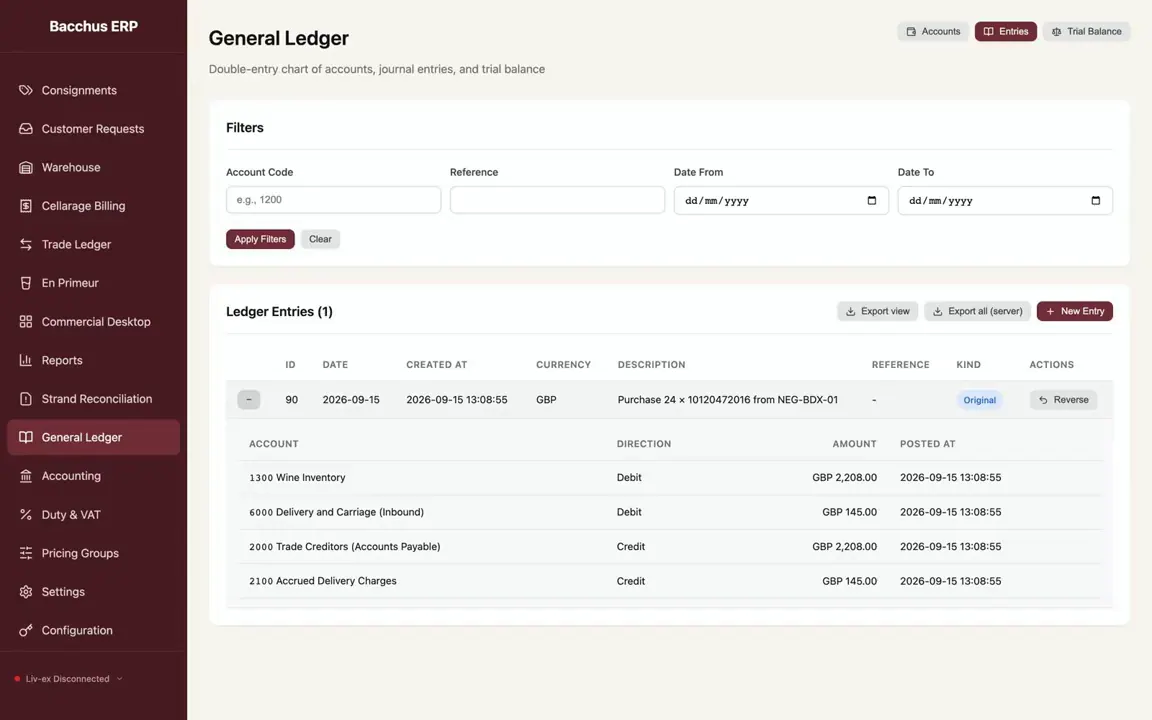
Bacchus ERP (our own product)Fine wine trade (UK)
Bacchus ERP
An ERP for the fine wine trade that follows each bottle from purchase to sale and posts every step to a double-entry ledger.
- ERP systems
- Custom software
- Websites
- Business automation
- E-commerce and payments